Shopify was founded in 2006 by Tobias Lütke, Daniel Weinand, and Scott Lake. The company originated in Ottawa, Ontario, Canada. Tobias Lütke. The official launch date of Shopify is often considered to be in 2006. Since its founding, Shopify has grown significantly, becoming one of the leading e-commerce platforms globally. It went public in 2015 and has continued to expand its services and user base over the years. Millions of peoples start Shopify E-Commerce Company & earn billion of dollors now its your turn here we learn How to setup shopify store.

What Is Shopify ?
Shopify is an e-commerce platform that allows individuals and businesses to create online stores. It provides a user-friendly interface and a set of tools that make it easy for users to set up and manage their online businesses without extensive technical knowledge.
Key Features Of Shopify Store:
Shopify is a complete commerce platform that lets anyone start, grow, manage, and scale a business. Here mentioned the most important features of shopify.
Storefront:
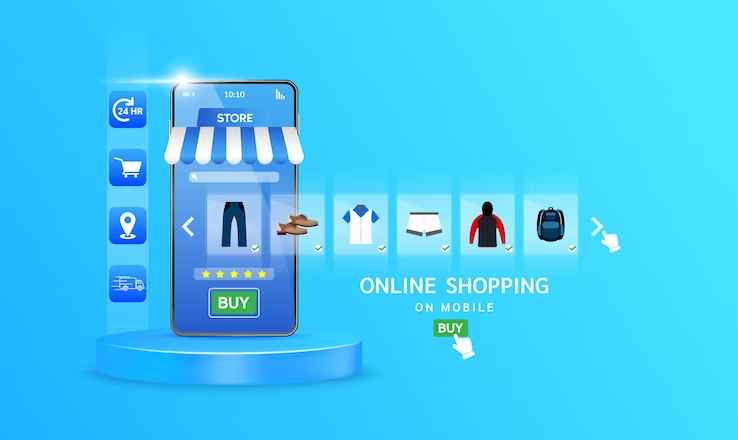
Shopify enables users to design and customize their online stores, choosing from a variety of themes to create a visually appealing and functional storefront.
Product Management:
Users can easily add and manage products, including details such as product descriptions, images, variants, and pricing.

Shopping Cart:
Shopify provides a secure shopping cart system that allows customers to add products to their cart and proceed to checkout.

Payment Processing:
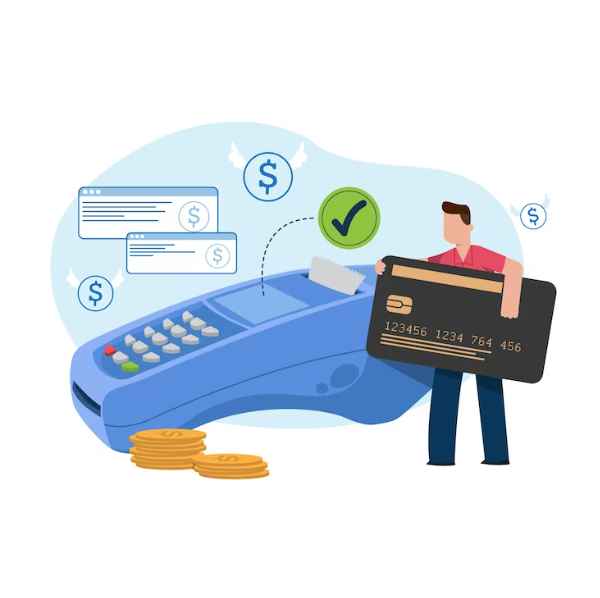
Shopify supports a range of payment options, including credit cards, PayPal, and other popular payment gateways, making it convenient for customers to make purchases.
Shipping and Taxes:
The platform includes features for setting up shipping rates and calculating taxes based on the user’s location.

Marketing Tools:
Shopify offers various marketing tools, including SEO optimization, discount codes, and integration with social media platforms, to help users promote their stores.

Analytics:
Users can track and analyze their store’s performance using built-in analytics tools, gaining insights into sales, customer behavior, and more.

App Store:
Shopify has an App Store with a wide range of apps and plugins that users can integrate into their stores to add additional features and functionality.

Mobile Responsiveness:
Shopify stores are designed to be mobile-friendly, ensuring a seamless experience for customers on various devices.

Security and Hosting:
Shopify takes care of hosting and provides security measures to protect customer data and ensure a safe online shopping environment.

Shopify is popular among entrepreneurs, small businesses, and even larger enterprises for its ease of use, scalability, and the ability to quickly set up an online presence without the need for extensive technical expertise. Users can choose from different subscription plans based on their business needs and requirements.
How To Open Shopify Store ?
Opening a Shopify store is a straightforward process. Shopify E-Commerce Company How To Setup Shopify Store Here’s a step-by-step guide to help you get started:

1: Sign Up for a Shopify Account
- Visit the Shopify Website: Go to the Shopify website Shopify
- Click “Start Free Trial”: Find and click on the “Start free trial” button on the homepage.
- Create an Account: Fill in the required details to create your account, including your email address, password, and store name.
- Click “Create Your Store”: Once you’ve filled in the information, click the “Create Your Store” button.
2: Set Up Your Online Store
- Enter Your Store Details: Fill out the form with your personal details and information about the products you plan to sell.
- Click “Next”: After providing the required information, click the “Next” button.
3: Choose a Shopify Plan
- Explore the Shopify Plans: Shopify offers different plans and varying features. Explore the plans and choose the one that suits your business needs.
- Select a Plan: Choose the plan you want and click “Select.”
- Enter Your Payment Information: Provide your payment information to start your plan. If you’re unsure, you can opt for a 14-day free trial.
- Click “Start Plan”: After entering your payment details, click “Start Plan.”
4: Customize Your Store
- Choose a Theme: Browse through Shopify’s theme store and choose a theme that fits your brand. Install and customize it according to your preferences.
- Add Products: Start adding your products to the store. Include product details, images, and prices.
5: Configure Settings
- Set Up Domain: If you have a domain, you can connect it to your Shopify store. If not, you can purchase a domain through Shopify.
- Configure General Settings: Adjust general settings such as currency, taxes, and shipping.
6: Launch Your Store
- Remove Password Protection: If you initially set a password for your store during the setup process, remove it to make your store public.
- Click “Online Store” in Shopify Admin: In your Shopify admin dashboard, go to “Online Store” and click “Preferences.” Uncheck the “Password protect your storefront” option.
- Launch Your Store: Confirm your decision to remove the password, and your store will be live.
7: Optimize and Promote
- Optimize for SEO: Customize your product descriptions, meta titles, and meta descriptions to improve your store’s search engine visibility.
- Set Up Marketing Channels: Utilize Shopify’s marketing features, and consider social media integration, email marketing, and other promotional strategies.
Congratulations! Your Shopify store is now open. Regularly update your store, add new products, and engage with your customers to build a successful online business.
How Many Countries Is Shopify In?

Since its inception in 2006, Shopify has undergone extensive global expansion, extending its platform to cater to sellers in more than 175 countries. This includes countries like Canada, Australia, New Zealand, the United Kingdom, and China. Regardless of your geographical location, Shopify provides a versatile platform enabling individuals worldwide to create and manage professional ecommerce stores with ease.
How To Earn Money From Shopify?
Earning money from Shopify involves setting up an online store, selling products, and implementing various strategies to drive traffic and sales. Here are several ways you can make money with Shopify:
10 Easy Steps:-
- Sell Physical Products:
- Choose a niche and sell physical products through your Shopify store.
- Source or manufacture products and manage inventory through the Shopify platform.
- Drop shipping:
- Implement a drop shipping model, where you partner with suppliers who handle inventory and fulfillment.
- You sell products on your Shopify store, and the supplier ships them directly to customers.
- Digital Products:
- Sell digital products such as ebooks, online courses and digital downloads.
- Use Shopify’s digital product features to securely deliver digital goods to customers.
- Print on Demand:
- Create custom designs for apparel, accessories, or other items.
- Use print-on-demand services integrated with Shopify to fulfill orders as they come in.
- Affiliate Marketing:
- Promote other companies’ products through affiliate marketing on your Shopify store.
- Earn a commission for each sale made through your affiliate links.
- Subscription Services:
- Offer subscription-based products or services through your store.
- Recurring billing for products like subscription boxes or digital memberships can provide a steady income.
- Consulting or Services:
- Use your Shopify store as a platform to sell consulting services or freelance work.
- Offer services related to your expertise, such as web design, marketing, or business consulting.
- Partnership and Collaboration:
- Partner with other brands or influencers for collaborations.
- Jointly market products or create limited-edition items to attract a wider audience.
- Upselling and Cross-Selling:
- Implement upselling and cross-selling strategies to increase the average order value.
- Encourage customers to add complementary items or upgrade their purchase during the checkout process.
- Content Monetization:
- Create valuable content related to your niche.
- Monetize your content through affiliate marketing, sponsored content, or advertising.
Remember, building a successful Shopify business takes time, effort, and dedication. It’s crucial to invest in marketing, customer service, and continuous improvement of your store to maximize your earning potential.
Does Shopify Work In Pakistan?
Shopify E–Commerce Company How to setup shopify store operates in Pakistan however, there are limitations with Shopify Payments as it is not available in the country. Unfortunately third-party payment processors may also pose challenges, as many don’t currently approve applications from Pakistan. To address this issue transparently, a clear decision is needed. Either Shopify should provide a viable alternative payment method for Pakistani users, even if it involves third party solutions, or consider the removal of Pakistan from the list of supported countries on the Shopify service platform.